
WordPress Media Library Trash
Safely delete images in WordPress by enabling the Media Library Trash.
Does WordPress have a Media Library Trash?
By default, WordPress does not have a trash for images.
Only content types like posts and pages have a trash can, which allows you to delete and recover them safely.
What happens to deleted images?
When you delete an image or any other media file, it is removed permanently from your server.
If you use the WordPress Media Library Trash feature in Image Source Control, deleted media files are stored in a separate trash folder, where you can either permanently remove them or restore them at your convenience.
How can I enable the Media Trash?
Once you have installed Image Source Control, go to Settings > Image Source and enable the “Media Trash” module.
You will now see the option to move media files to trash. Sometimes, you can choose between using the trash and permanently deleting an image, and choose whichever is more convenient for you.
As soon as you have files in your WordPress Media Trash, you will see a new page under Media > Media Trash. This page lists all the trashed items.
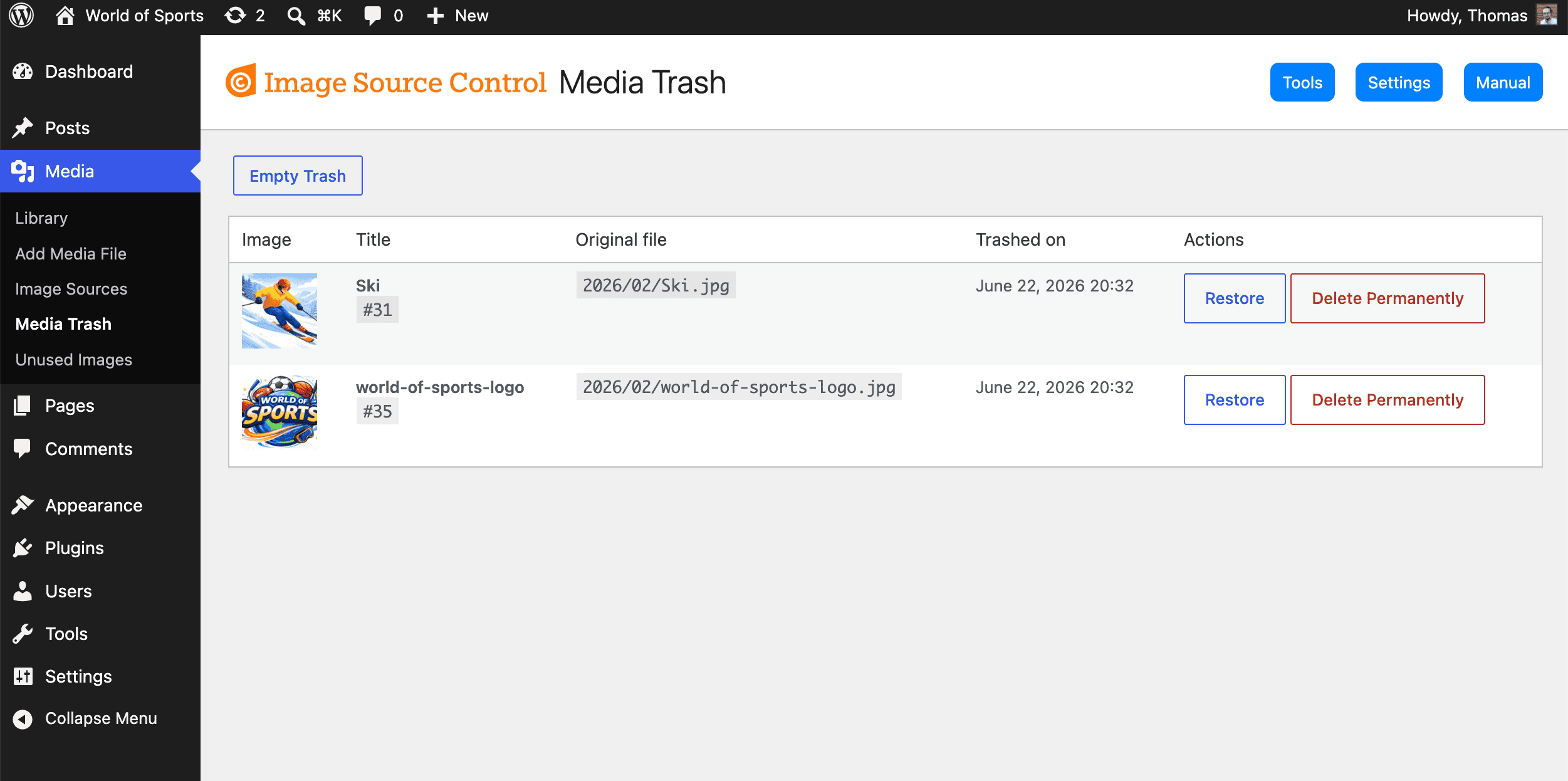
What makes the Media Library Trash so special?
By default, WordPress does not have a trash for the media library. This is risky if you clean up your site and want to delete unused images.
Image Source Control shows you the appearances of images in the Media Library as a first safeguard.
Still, you might want to hesitate before removing an image, since it also permanently deletes the media file.
The WordPress Media Library Trash is a safe way to remove images from the interface and the frontend without losing any information or files.
The file is moved to a temporary folder, which makes it appear missing in the frontend without deleting it entirely.
You can later choose to clean up the trash entirely or pick individual images for either permanent removal or recover them with a single click.
Frequently Asked Questions
How long can I recover media files from the trash?
There is no time or size limit for recovering individual images from trash, so take your time to experiment with deleted images.
How can I access trashed items?
As soon as you have at least a single trashed image in your WordPress Media Library Trash, a new menu item will appear under Media > Media Trash.
Can trashed media files still appear in the frontend?
Trashed media files are moved to a different folder and therefore no longer appear in the frontend. This is perfect for testing whether a deleted image is still in use, since you will see an empty placeholder instead. Once this happens, you can easily recover the deleted media item.